

Description
Key Features
• 4K UHD Sony Starvis 2 CMOS recording • 7-element f/1.7 aperture • H.265 video compression • Integrated parking mode • Cloud • Dual-band Wi-Fi • 60FPS – Dual-band GPS
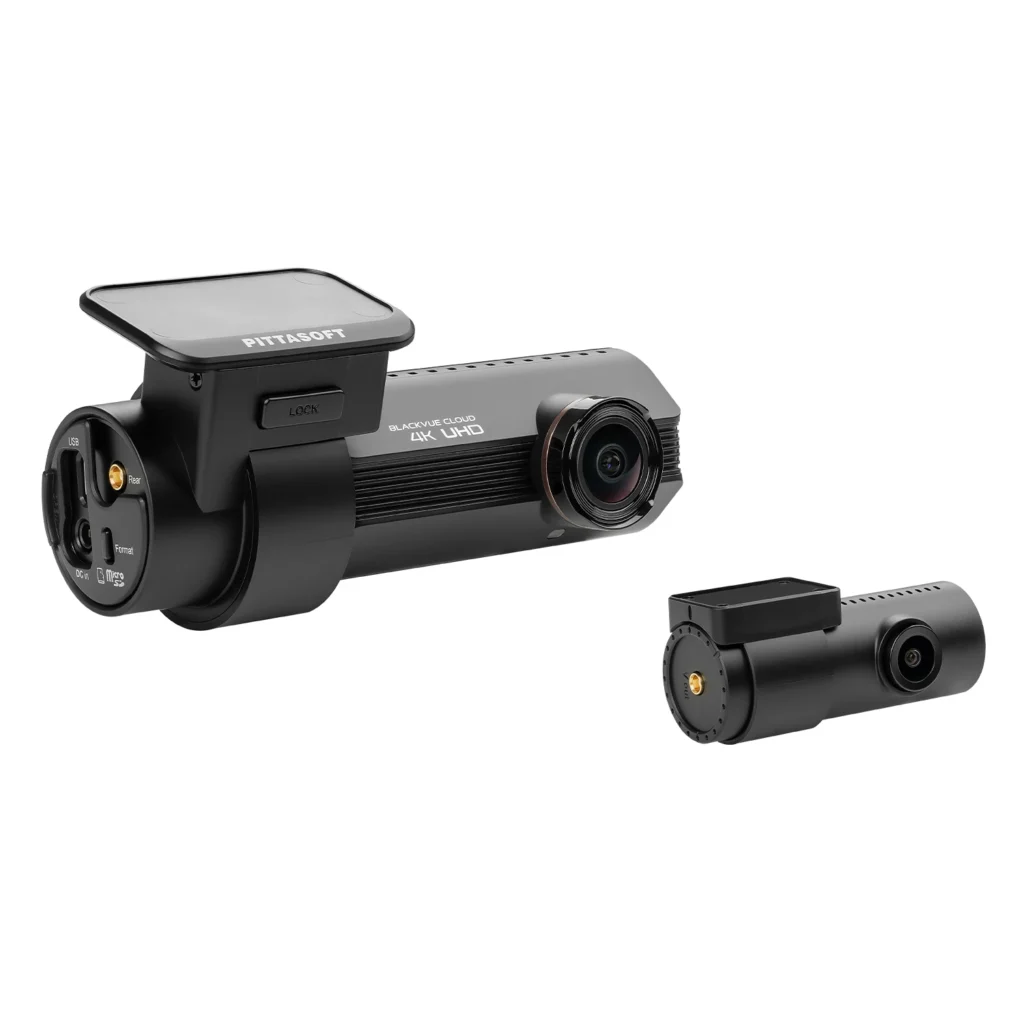
The best and most stylish 4K Cloud dashcam
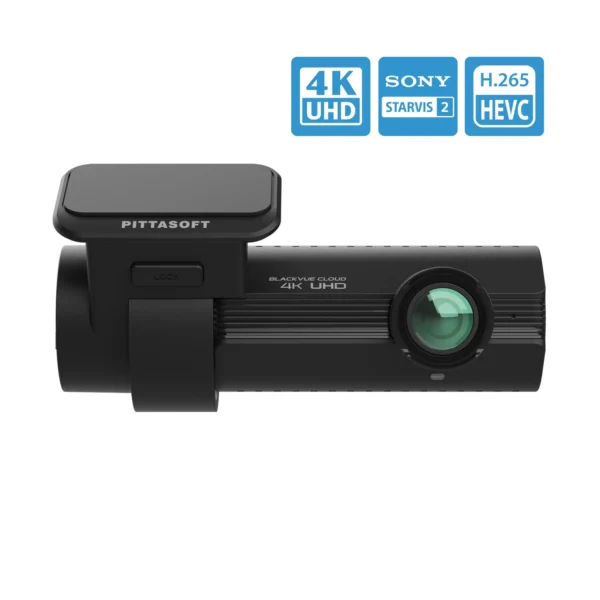
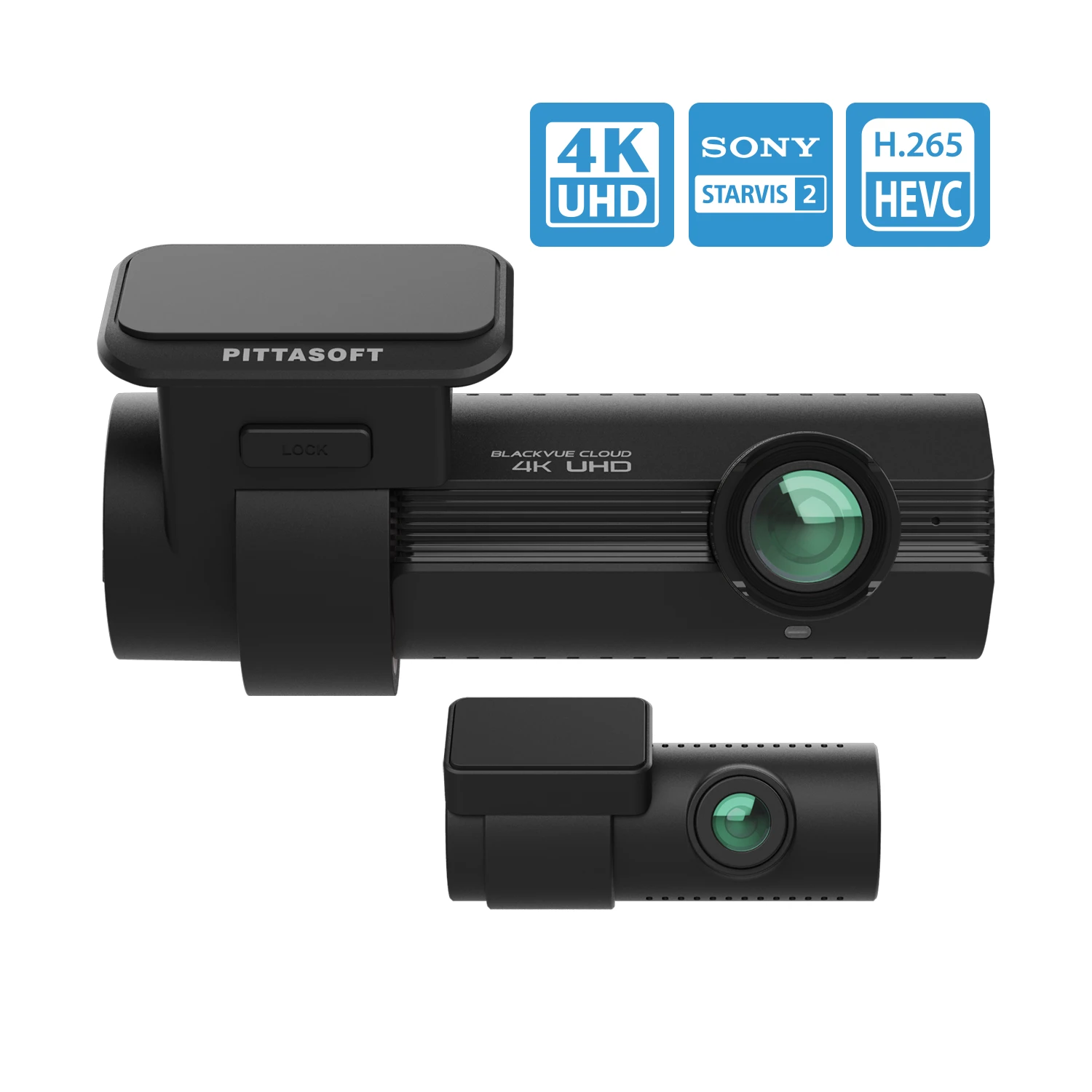
The DR970X-2CH Plus is the new premium 4K Cloud dashcam model from BlackVue.
The dashcam has an 8.29 megapixel Sony Starvis 2 sensor for the best 4K Ultra High Definition recording quality.
The HEVC (H.265) compression technology ensures that the recording files have the best possible quality, without sacrificing recording time.
The DR970X-2CH Plus also has a built-in Dual-band GPS receiver, Dual-Band Wi-Fi and an integrated parking mode function thanks to the included CH-3P1 fixed power cable worth €29.95.
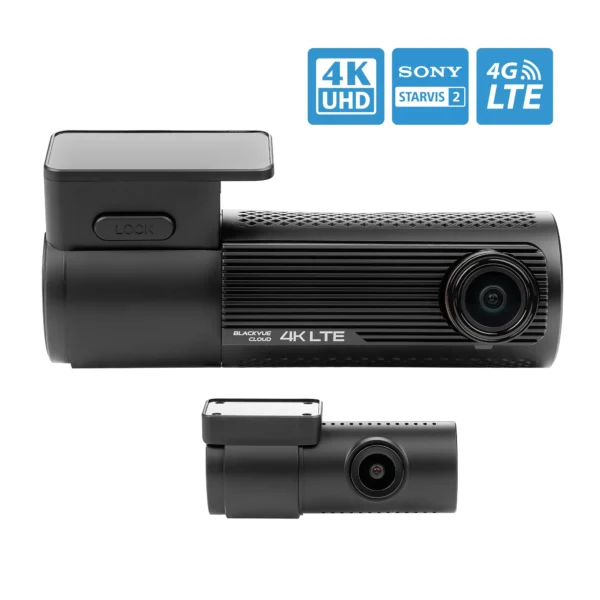
The dashcam is LTE ready, and can be connected to BlackVue Cloud via a Wi-Fi hotspot. Would you rather not install an external Wi-Fi hotspot in your vehicle, but still be connected anytime and anywhere?
Then simply connect the matching CM100GLTE cloud module to your BlackVue USB port for the most stable Cloud LTE connection. This LTE module must be equipped with a 4G nano SIM card.*
The best and most stylish 4K Cloud dashcam
The DR970X-2CH Plus is the new premium 4K Cloud dashcam model from BlackVue.
The dashcam has an 8.29 megapixel Sony Starvis 2 sensor for the best 4K Ultra High Definition recording quality.
The HEVC (H.265) compression technology ensures that the recording files have the best possible quality, without sacrificing recording time.
The DR970X-2CH Plus also has a built-in Dual-band GPS receiver, Dual-Band Wi-Fi and an integrated parking mode function thanks to the included CH-3P1 fixed power cable worth €29.95.
The dashcam is LTE ready, and can be connected to BlackVue Cloud via a Wi-Fi hotspot. Would you rather not install an external Wi-Fi hotspot in your vehicle, but still be connected anytime and anywhere?
Then simply connect the matching CM100GLTE cloud module to your BlackVue USB port for the most stable Cloud LTE connection. This LTE module must be equipped with a 4G nano SIM card.*
The 2 cameras
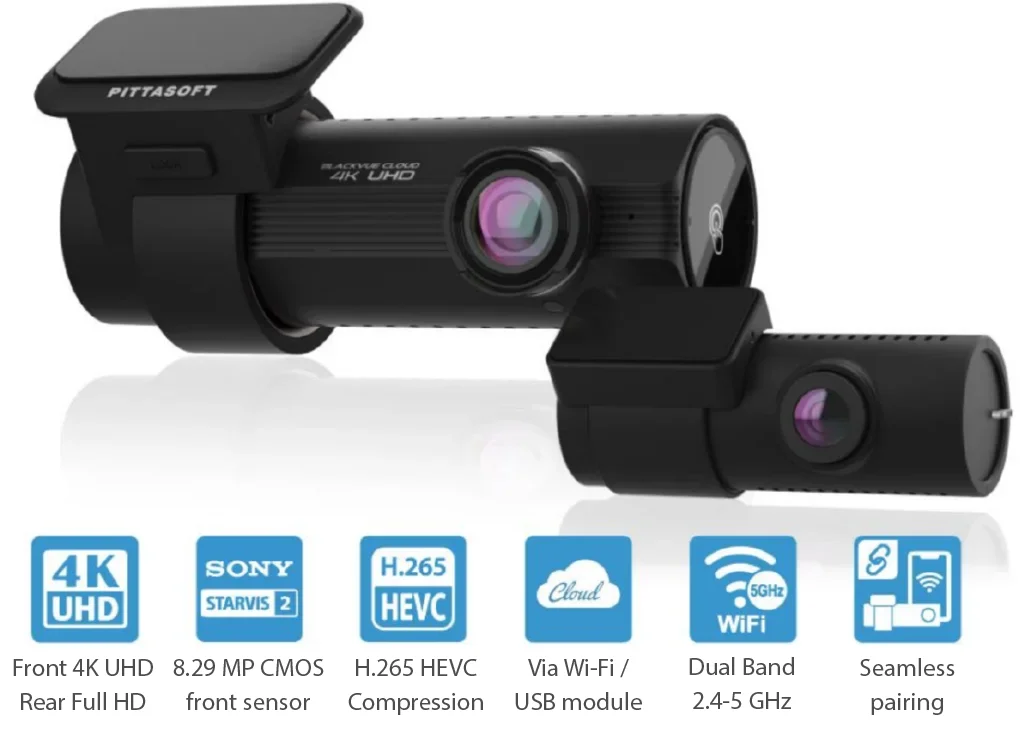
Thanks to 4K Ultra HD recording quality in combination with the high-quality lens, the front and rear camera captures very smooth and clear footage. This means that all details, such as license plates, are captured sharply, even at high speeds and long distances. The front camera has an 8.29 megapixel Sony Starvis 2 sensor that enables 4K recording. The rear camera has a 2.1 megapixel Sony STARVIS lens.
The front camera has a lens with a very wide viewing angle of 146°. The rear camera has a lens with a viewing angle of 131°. This not only captures the road in front or behind, but also other lanes, cycle paths and more.
The 2 cameras
Thanks to 4K Ultra HD recording quality in combination with the high-quality lens, the front and rear camera captures very smooth and clear footage. This means that all details, such as license plates, are captured sharply, even at high speeds and long distances. The front camera has an 8.29 megapixel Sony Starvis 2 sensor that enables 4K recording. The rear camera has a 2.1 megapixel Sony STARVIS lens.
The front camera has a lens with a very wide viewing angle of 146°. The rear camera has a lens with a viewing angle of 131°. This not only captures the road in front or behind, but also other lanes, cycle paths and more.

4K Ultra High Definition recording quality
Ultra-clear videos, not only on 4K monitors
4K resolution recording is a huge leap forward in image quality compared to the well-known Full HD.
4K offers no less than 4 times the number of pixels, and this difference is visible. License plates are readable from a greater distance, and the details are displayed more clearly.
Even if you do not have a 4K monitor, you will notice this difference. It is possible to zoom in further in the recordings, without the image becoming unclear.
4K Ultra High Definition recording quality
Ultra-clear videos, not only on 4K monitors
4K resolution recording is a huge leap forward in image quality compared to the well-known Full HD.
4K offers no less than 4 times the number of pixels, and this difference is visible. License plates are readable from a greater distance, and the details are displayed more clearly.
Even if you do not have a 4K monitor, you will notice this difference. It is possible to zoom in further in the recordings, without the image becoming unclear.
The best compression technology
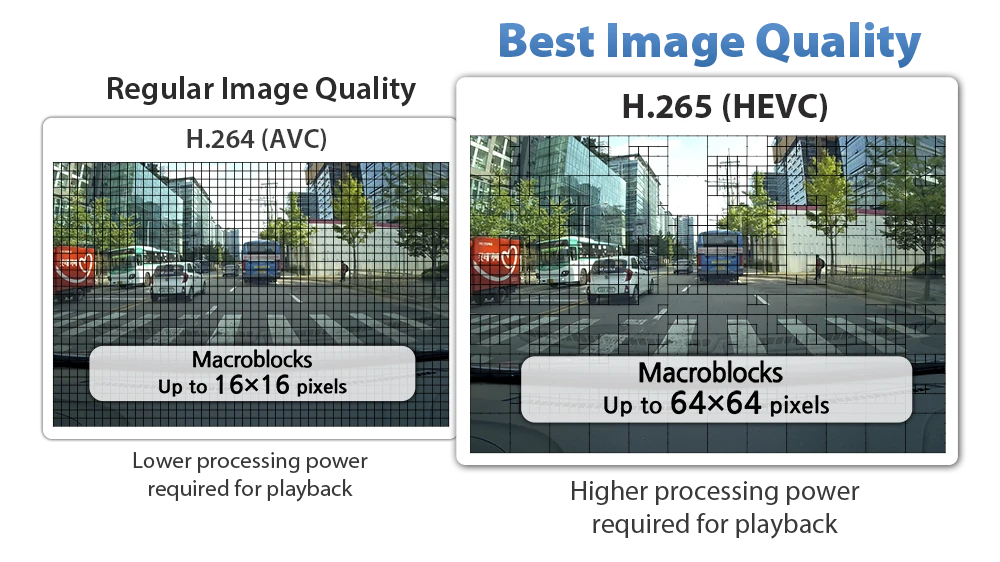
In addition to the regular H.264 codec, the DR970X-2CH Plus features H.265, also known as High Efficiency Video Coding (HEVC). H.265 is the leading standard in 4K recording.
Thanks to this technology, the file size of 4K UHD recording is comparable to that of a Full HD H.264 recording. In other words, you make recordings that are 4 times larger without sacrificing recording time on your SD card.
The best compression technology
In addition to the regular H.264 codec, the DR970X-2CH Plus features H.265, also known as High Efficiency Video Coding (HEVC). H.265 is the leading standard in 4K recording.
Thanks to this technology, the file size of 4K UHD recording is comparable to that of a Full HD H.264 recording. In other words, you make recordings that are 4 times larger without sacrificing recording time on your SD card.

Integrated Parking Mode
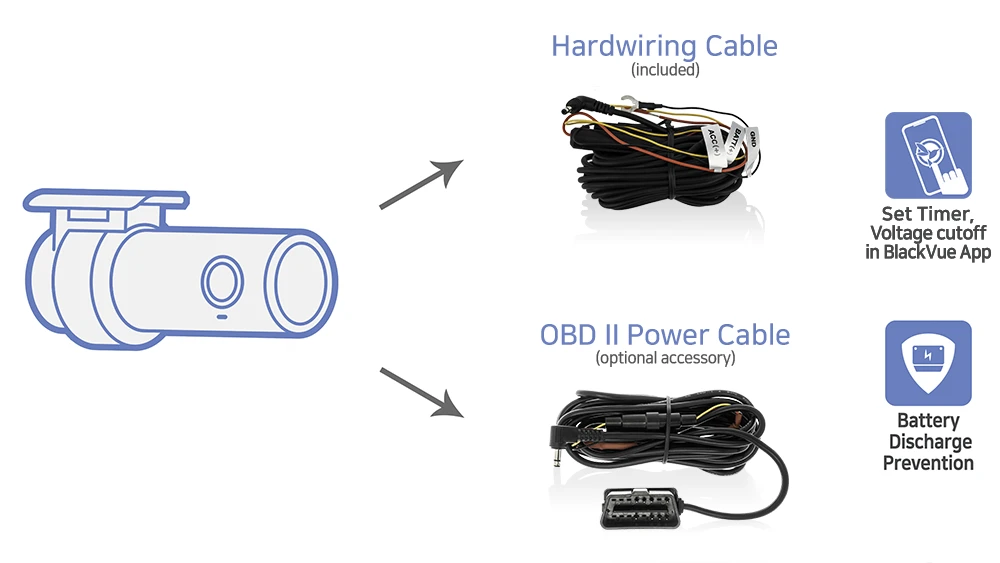
The DR970X Plus series can be connected to the car’s fuse panel thanks to the included CH-3P1 fixed power cable (worth €29.95), thus providing a ready-made parking mode solution.
The dashcam automatically switches to parking mode as soon as you switch off the car’s ignition. You can easily set the voltage (or time) at which the dashcam will disconnect the power via the app. This way, you don’t have to worry about an empty battery, but the dashcam will continue to record.
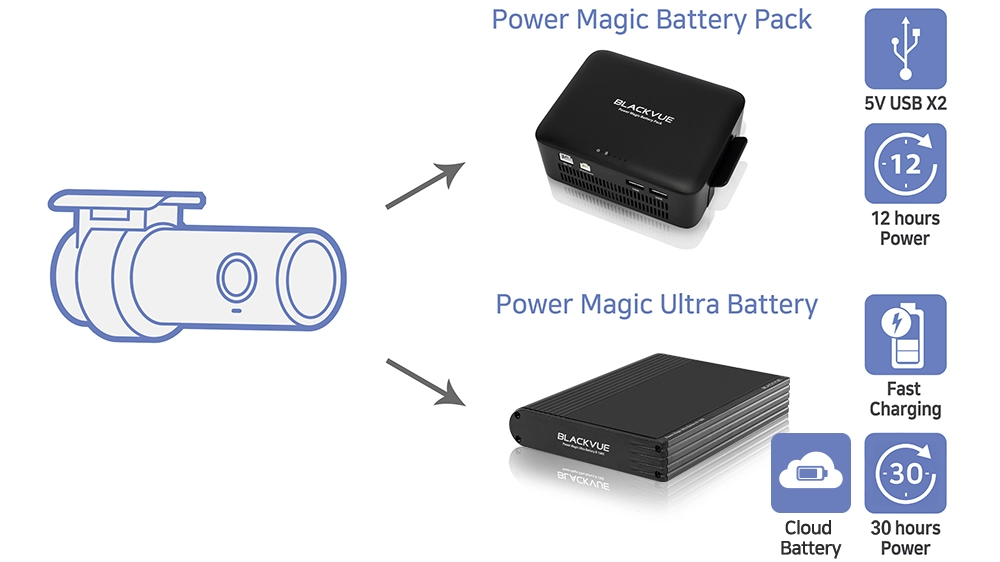
Do you want to increase the parking mode recording time? Then you can also use an external BlackVue power module, such as the B-130A Ultra Battery Pack.
Integrated Parking Mode
The DR970X Plus series can be connected to the car’s fuse panel thanks to the included CH-3P1 fixed power cable (worth €29.95), thus providing a ready-made parking mode solution.
The dashcam automatically switches to parking mode as soon as you switch off the car’s ignition. You can easily set the voltage (or time) at which the dashcam will disconnect the power via the app. This way, you don’t have to worry about an empty battery, but the dashcam will continue to record.
Do you want to increase the parking mode recording time? Then you can also use an external BlackVue power module, such as the B-130A Ultra Battery Pack.
Fast Wi-Fi, Cloud and Dual-Band GPS
Connect to the DR970X Plus via Wi-Fi or via the Cloud.
Dual-band Wi-Fi: Offers the possibility to connect your BlackVue dashcam to your smartphone and/or tablet (max. 10m).
Cloud: Connect your dashcam to a Wi-Fi hotspot to be connected anytime, anywhere.
Cloud LTE: Connect the CM100GLTE to your dashcam via USB to always be connected to a very stable hotspot. You are no longer dependent on other hotspots and/or Wi-Fi networks, and the signal strength is always optimal. The Cloud module must be equipped with a nano SIM card with an active 4G data subscription.*
GPS: Speed, location on the map and routes taken are stored in the recordings thanks to the built-in GPS receiver. Then view this information via the BlackVue app or PC/Mac software.

Fast Wi-Fi, Cloud and Dual-Band GPS
Connect to the DR970X Plus via Wi-Fi or via the Cloud.
Dual-band Wi-Fi: Offers the possibility to connect your BlackVue dashcam to your smartphone and/or tablet (max. 10m).
Cloud: Connect your dashcam to a Wi-Fi hotspot to be connected anytime, anywhere.
Cloud LTE: Connect the CM100GLTE to your dashcam via USB to always be connected to a very stable hotspot. You are no longer dependent on other hotspots and/or Wi-Fi networks, and the signal strength is always optimal. The Cloud module must be equipped with a nano SIM card with an active 4G data subscription.*
GPS: Speed, location on the map and routes taken are stored in the recordings thanks to the built-in GPS receiver. Then view this information via the BlackVue app or PC/Mac software.

BlackVue Cloud
Thanks to BlackVue Cloud you are always connected to your dashcam, wherever you are!
Connect your BlackVue dashcam quickly and easily to a Wi-Fi hotspot or CM100GLTE module*. See where your car is, watch live through your dashcam lens, receive push notifications and much more.
*SIM card incl. data subscription not included.
BlackVue Cloud
Thanks to BlackVue Cloud you are always connected to your dashcam, wherever you are!
Connect your BlackVue dashcam quickly and easily to a Wi-Fi hotspot or CM100GLTE module*. See where your car is, watch live through your dashcam lens, receive push notifications and much more.
*SIM card incl. data subscription not included.
Built-in shock and motion detection
The built-in G-sensor ensures that when shock detection occurs, for example a collision, the recordings are saved in a separate folder. We call these recordings an event recording.
All different types of recordings are conveniently arranged in the BlackVue software for Windows/Mac or the BlackVue app.

Built-in shock and motion detection
The built-in G-sensor ensures that when shock detection occurs, for example a collision, the recordings are saved in a separate folder. We call these recordings an event recording.
All different types of recordings are conveniently arranged in the BlackVue software for Windows/Mac or the BlackVue app.

Advanced parking mode
Never worry about your parked car again, thanks to the advanced parking mode.
The BlackVue dashcam makes recordings based on shock detection, these are the previously mentioned event recordings.
In addition, the dashcam is also activated by movement in parking mode.
In both cases, the previous 5 seconds are also saved, so that you always have an image of what happened before the shock or motion detection.
Movement zones
In addition to the regular motion and shock detection, you can set motion zones. The BlackVue dashcam is activated when motion is detected within the set zone. Everything outside of this is ignored, for example trees moving due to the wind.
This means that the dashcam makes fewer unnecessary parking recordings and you receive fewer unwanted push messages via the Cloud.
Time-lapse
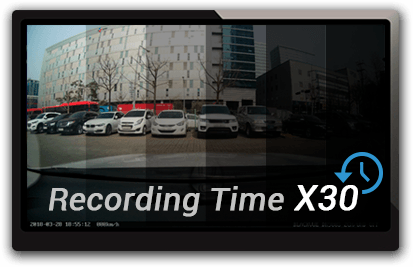
Another option is to have the dashcam make a time-lapse in parking mode. In this case, the dashcam records continuously, with recordings of 1 frame per second. The recording is then played back at 30 frames per second. This means that a recording of 1 minute actually represents 30 minutes. This allows you to record for a very long time without the SD card becoming full.
If a shock is detected during the time-lapse recording, the dashcam makes an event recording. This important recording can then be viewed at normal speed, including the aforementioned preceding 5 seconds.
Advanced parking mode
Never worry about your parked car again, thanks to the advanced parking mode.
The BlackVue dashcam makes recordings based on shock detection, these are the previously mentioned event recordings.
In addition, the dashcam is also activated by movement in parking mode.
In both cases, the previous 5 seconds are also saved, so that you always have an image of what happened before the shock or motion detection.
Movement zones
In addition to the regular motion and shock detection, you can set motion zones. The BlackVue dashcam is activated when motion is detected within the set zone. Everything outside of this is ignored, for example trees moving due to the wind.
This means that the dashcam makes fewer unnecessary parking recordings and you receive fewer unwanted push messages via the Cloud.
Time-lapse
Another option is to have the dashcam make a time-lapse in parking mode. In this case, the dashcam records continuously, with recordings of 1 frame per second. The recording is then played back at 30 frames per second. This means that a recording of 1 minute actually represents 30 minutes. This allows you to record for a very long time without the SD card becoming full.
If a shock is detected during the time-lapse recording, the dashcam makes an event recording. This important recording can then be viewed at normal speed, including the aforementioned preceding 5 seconds.
Stylish BlackVue design
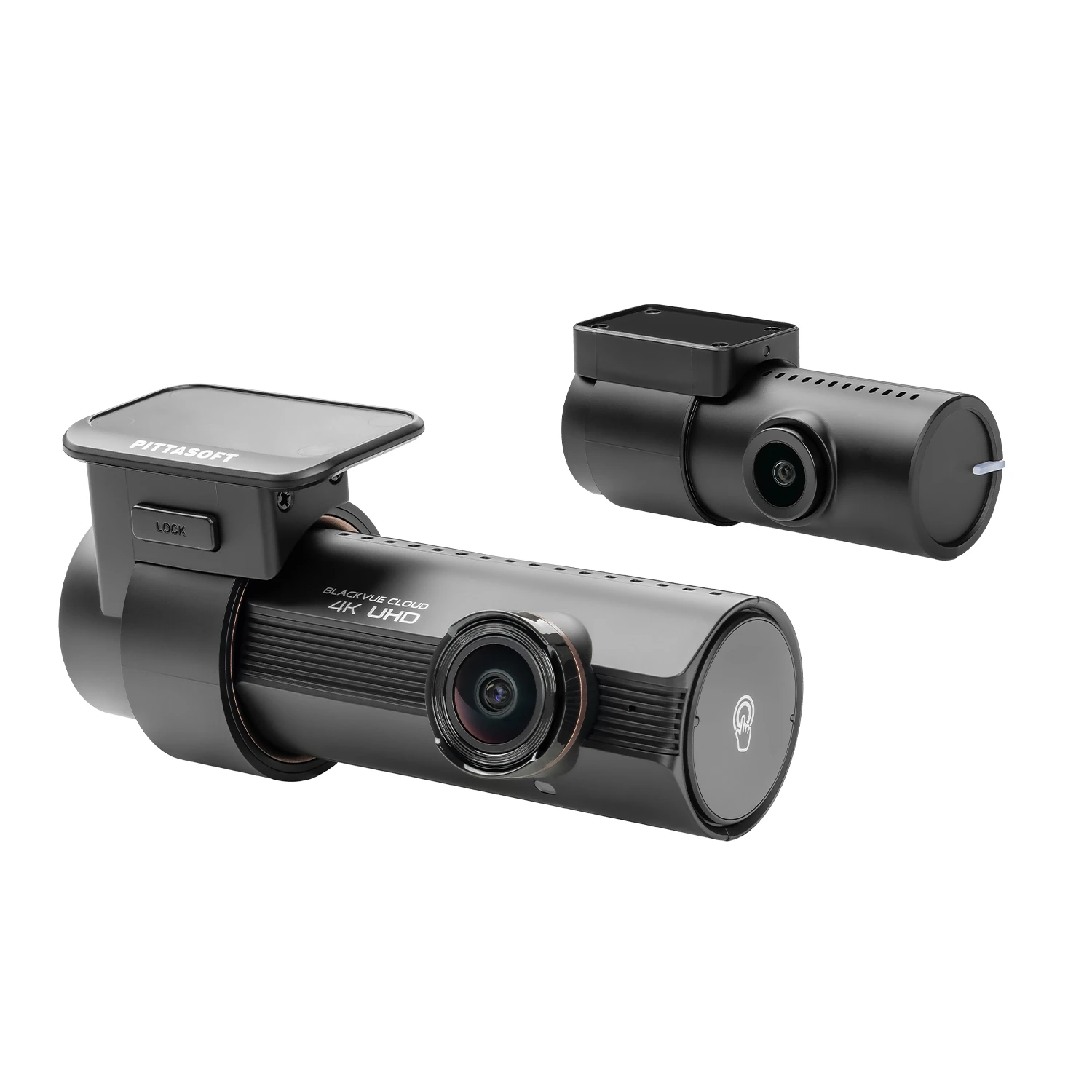
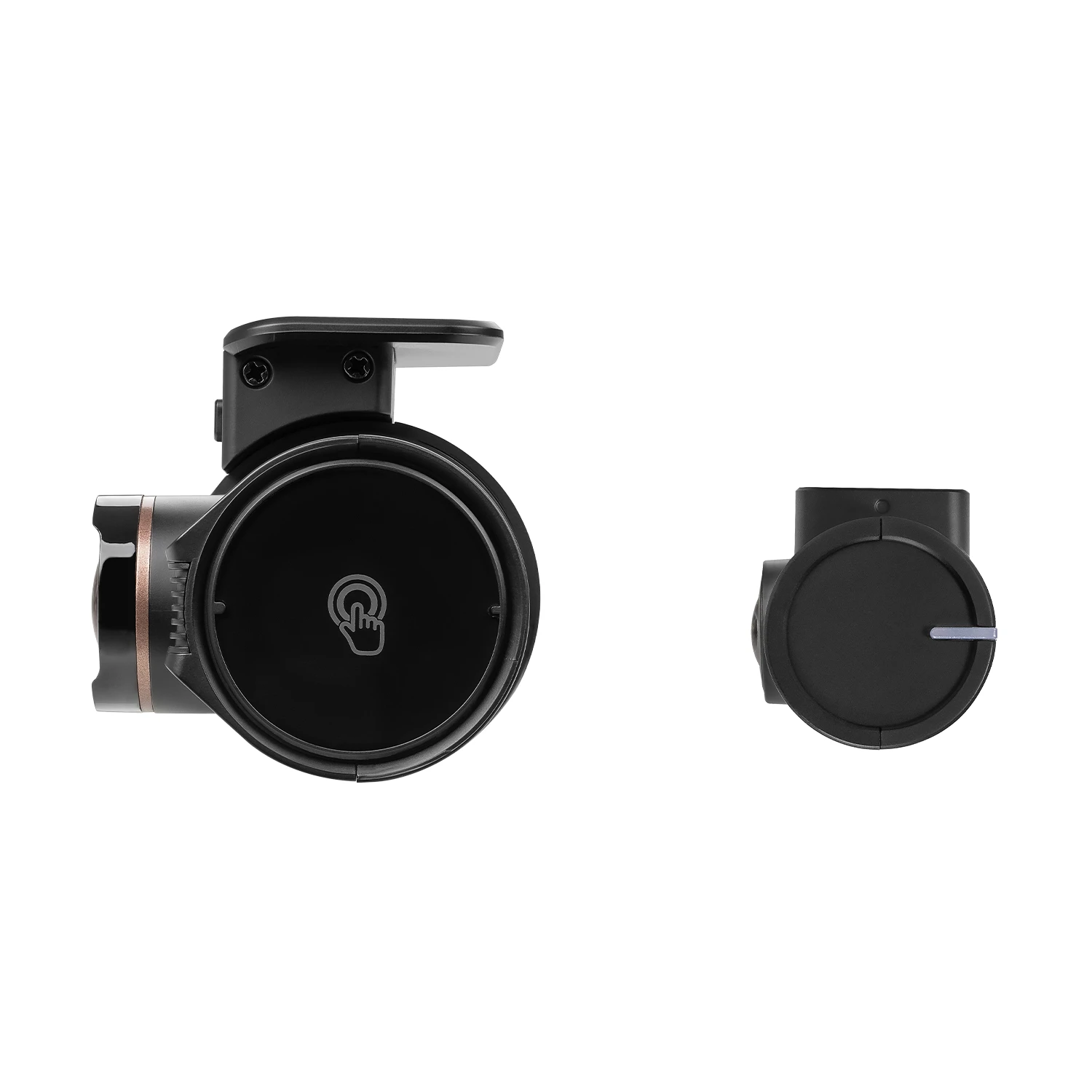
The new design of the DR970X Plus series provides access to a number of useful functions.
Adjustable distance sensor
Easily turn the audio recording on and off by moving your hand in front of the sensor. You can also choose to activate a manual recording via this sensor.
Wi-Fi on/off button
Switch Wi-Fi on or off with a push of a button.
Voice guidance confirms what is being done in all cases.

Stylish BlackVue design
The new design of the DR970X Plus series provides access to a number of useful functions.
Adjustable distance sensor
Easily turn the audio recording on and off by moving your hand in front of the sensor. You can also choose to activate a manual recording via this sensor.
Wi-Fi on/off button
Switch Wi-Fi on or off with a push of a button.
Voice guidance confirms what is being done in all cases.
Software
BlackVue App (Android & iOS)
With the free BlackVue app you can easily access stored videos, manage settings, and more. For example, you can review important images on the spot, save them externally and/or share them via your smartphone or tablet.
BlackVue Viewer (Windows & Mac)
Do you prefer to manage your dashcam via your computer or laptop?
Then use the handy free BlackVue Viewer software. The BlackVue Viewer supports all BlackVue dashcams via the inserted SD card and/or via the cloud, and is compatible with Windows and Mac.

Optimized storage
Protect event recordings from being overwritten
BlackVue dashcams use the so-called loop recording. The previously recorded files are automatically overwritten when the memory is full, starting with the oldest recording.
In the DR970X Plus models, event recordings have their own loop of 50 files. This prevents these recordings from being overwritten too quickly.
Adaptive “Format-Free” storage
The “Format-Free” storage system developed by BlackVue improves the stability of the recordings and reduces the need to manually format the SD card. You still have the flexibility to set the recording time to minutes and change the quality settings. The stored videos can be played in almost all media players.
Scheduled Reboot
Schedule an optional automatic reboot of your dashcam, for example at night. The reboot will only occur when the dashcam is in parking mode and not recording.
Optimized storage
Protect event recordings from being overwritten
BlackVue dashcams use the so-called loop recording. The previously recorded files are automatically overwritten when the memory is full, starting with the oldest recording.
In the DR970X Plus models, event recordings have their own loop of 50 files. This prevents these recordings from being overwritten too quickly.
Adaptive “Format-Free” storage
The “Format-Free” storage system developed by BlackVue improves the stability of the recordings and reduces the need to manually format the SD card. You still have the flexibility to set the recording time to minutes and change the quality settings. The stored videos can be played in almost all media players.
Scheduled Reboot
Schedule an optional automatic reboot of your dashcam, for example at night. The reboot will only occur when the dashcam is in parking mode and not recording.
LTE Cloud Module (Optional)
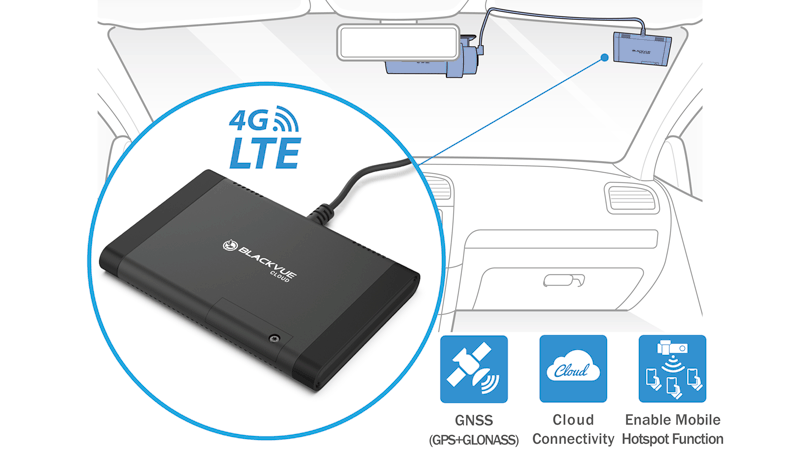
The CM100GLTE enables simple and stable 4G LTE Cloud connectivity with your BlackVue X series dashcam.
You only need a nano SIM card with a data plan.*
The CM100GLTE can be connected to the USB port of your X series dashcam. Your BlackVue X series dashcam supplies the CM100GLTE module with power, and the CM100GLTE module ensures the simplest and most stable Cloud connection.
*To use the BlackVue Cloud service via a hotspot or CM100GLTE Cloud module, you need a (nano) SIM card with a data plan. This is not included.
LTE Cloud Module (Optional)
The CM100GLTE enables simple and stable 4G LTE Cloud connectivity with your BlackVue X series dashcam.
You only need a nano SIM card with a data plan.*
The CM100GLTE can be connected to the USB port of your X series dashcam. Your BlackVue X series dashcam supplies the CM100GLTE module with power, and the CM100GLTE module ensures the simplest and most stable Cloud connection.
*To use the BlackVue Cloud service via a hotspot or CM100GLTE Cloud module, you need a (nano) SIM card with a data plan. This is not included.
Seamless pairing with the BlackVue app
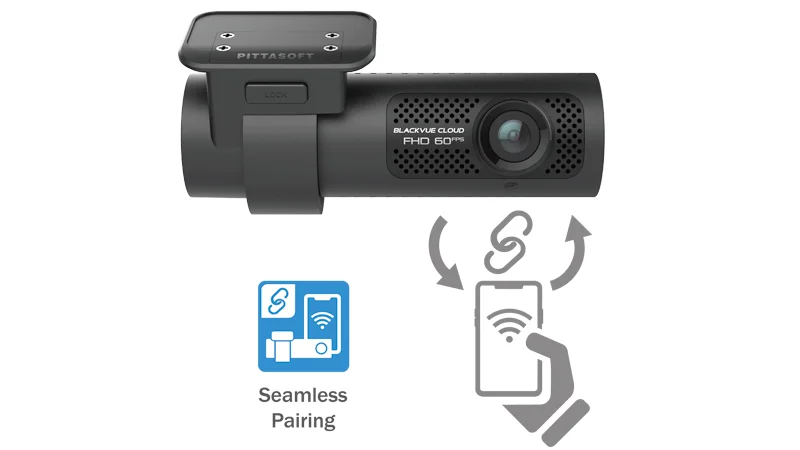
Easily connect to your dashcam without leaving the app. Turn on your dashcam and connect via the BlackVue app and follow the instructions.
Whether you want to browse your dashcam files and settings or connect your dashcam to the cloud, the app makes everything easy and intuitive.
Seamless pairing with the BlackVue app
Easily connect to your dashcam without leaving the app. Turn on your dashcam and connect via the BlackVue app and follow the instructions.
Whether you want to browse your dashcam files and settings or connect your dashcam to the cloud, the app makes everything easy and intuitive.
| Model | DR970X-2CH Plus |
| Channel | 2CH |
| Highlights | 4K UHD (front) + Full HD (rear), 2.4-5GHz Wi-Fi, Cloud, Extern LTE Module (Optional) |
| Product dimensions | Front: Black / Width 118.6mm x Length 47.7mm x Height 36mm / 108g Rear: Black / Width 67.3mm x length 28mm x Height 25mm / 25g |
| Storage | Micro SD card up to 512GB |
| Recording modes | Normal recording, Event recording (when collision is detected in normal mode and in parking mode), Manual recording and parking recording (when motion is detected). * When using a fixed power cable, ACC+ activates parking mode. When using other methods, G-sensor activates parking mode. |
| Parking mode | YES (with 3-wire hardwiring cable – included) |
| Parking Mode ‘Event’ Voice Notifications | YES |
| Image sensor | Front: 8.4 Megapixel Sony Starvis 2 CMOS Sensor Rear: 2.1 Megapixel Sony Starvis CMOS Sensor |
| Viewing angle | Front: Diagonal 146°, Horizontal 125°, Vertical 68° Rear: Diagonal 131°, Horizontal 107°, Vertical 55° |
| Resolution & frames per second | Front: 4K (3840 x 2160) @ 30fps Rear: Full HD (1920 x 1080) @ 30 fps * Frame rate may vary while streaming over Wi-Fi. |
| Video Codec | H.265 (HEVC) / H.264 (AVC) |
| Image quality and bitrate front/rear | Highest (extreem): 60+10 Mbps Highest: 36+10 Mbps High: 12+8 Mbps Normal: 8+6 Mbps |
| Format Free | YES (Adaptive) |
| Protection against overwriting of ‘event’ recordings | YES (up to 50 files) |
| SD card error warning | YES |
| Scheduled restart | YES |
| Video file | MP4 |
| Wi-Fi | Built-in (802.11 a.b.g.n.ac) |
| Cloud Compatible | YES |
| GPS | Built-in (Dual Band: GPS, GLONASS) |
| Microphone | Built-in |
| Speaker | Built-in |
| Impact Sensor | 3-axis acceleration sensor |
| LED Indicators | Front: Recording LED, GPS LED, B/W/L (Bluetooth / Wi-Fi / LTE) LED, Front Security LED Rear: Security LED |
| Button | Format Button: Press and hold the format button for 5 seconds and release after a beep. Then press and hold again for 5 seconds and release after a beep to format the micro SD card. Touch Sensor: Pressing the ‘Touch sensor’ will activate manual recording, depending on the firmware settings. |
| Operating temperature | -20°C − 70°C |
| Store temperature | -20°C − 80°C |
| High temperature shutdown | At about 75 °C |
| Spare battery | Built-in super capacitor |
| Input | DC 12V-24V (DC Plug (Ø3.5 x Ø1.1)) to wires (Black: GND / Yellow: B+ / Red: ACC) |
| Power consumption per hour | Normal mode (GPS on/1CH): avg. 340mA /12V Parking mode (GPS off/1CH): avg. 260mA /12V * Actual power consumption may vary depending on usage conditions and environment. |
| Certificates | Front: FCC, ISED, CE, UKCA, RCM, RoHS, Telec, WEEE, KC Rear: FCC, ISED, CE, UKCA, RCM, RoHS, WEEE, KC |
| Software | BlackVue Viewer * Windows 7 or later, Mac Sierra OS X (10.12) or later BlackVue Web Viewer * Chrome 71 or later, Safari 13.0 or later |
| App | BlackVue App
* Android 8.0 or later, iOS 13.0 or later |
| Other | Adaptive formatless file management system |
| Bluetooth | Built-in (V2.1+EDR/4.2) |
| LTE | External (Optional) |
- Front camera
- Rear camera
- Rear camera connection cable (6m / 19.68ft)
- 12V power cable
- Cigarette lighter power cable
- Micro SD card
- USB-micro SD card reader adapter
- Quick-start manual (English)
- Cable guides (8EA)
- 3M tape
- Cable removal tool